Trust accounting & owner statements
Client money kept separate, by design.
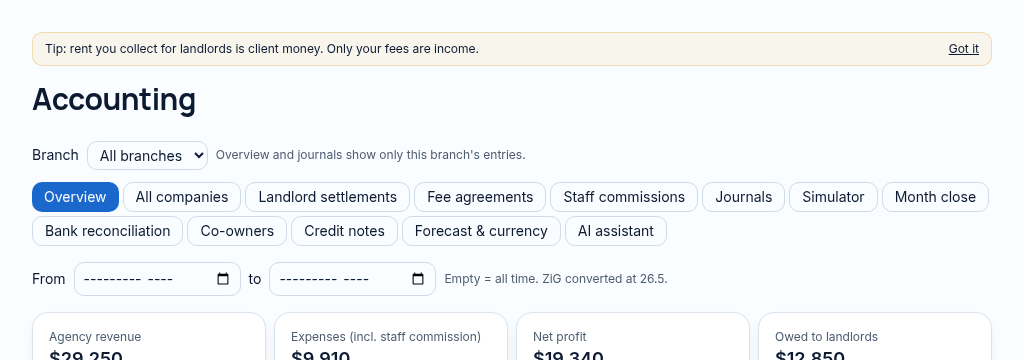
Real double-entry accounts where landlord rent is client money, never your income.
What you get
- Rent held for landlords is never your revenue
- Fees from the agreement in force that month
- Statements landlords understand
Inside the app
How trust accounting & owner statements works
- Step 1
Check rent collected, the fee agreement version for the period, repair charges and landlord funds payable.
- Step 2
Calculate and approve the landlord settlement. Agency fees are revenue; landlord rent remains client money.
- Step 3
Pay the owner or separate co-owner shares and reconcile the statement. Never apply a new fee rate retrospectively.
Connected, not duplicated
This workspace uses the linked properties, people and records your company can access. Available features depend on your plan, enabled modules and staff permissions. Features needing external services are marked Coming soon below.
The problem
Landlord rent gets mixed with agency income.
Agencies mix landlord rent with their own income and statements take days.
With PropertyFlow
- Rent held for landlords is never your revenue
- Fees from the agreement in force that month
- Statements landlords understand
Inside Trust accounting & owner statements
Features in this module
- Trust accountingRent held for landlords stays client money.
- Versioned fee agreementsManagement fees use the rate in force for that month.
- Owner statementsMonthly landlord statements with rent, fees and repairs.
- Co-owner payoutsSplit landlord payouts between co-owners.
- Month-closeCalculate, approve, pay, close and reopen a month.
Works hand in hand with
See Trust accounting & owner statements with your own records.
Book a walkthrough, or start a 14-day trial and set up your first property today.