Sales
Close with confidence.
Every sale on one checklist, with offers, commissions and documents attached.
What you get
- Every deal on a step-by-step checklist
- Commission splits post to the books
- Sales analytics by agent
Inside the app
How sales works
- Step 1
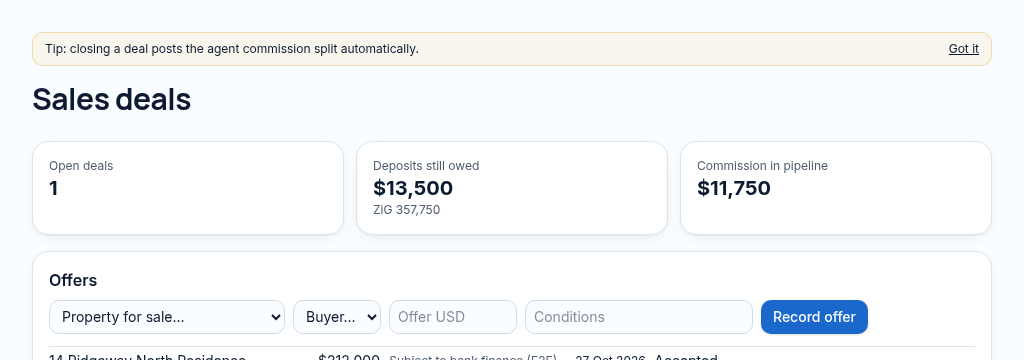
Create a sale with the property, client, agent and expected value.
- Step 2
Record offers and deposits; move the checklist through the agreed sale stages and attach supporting documents.
- Step 3
Review agent splits before closing. Commission postings and payments follow controlled accounting rules.
Connected, not duplicated
This workspace uses the linked properties, people and records your company can access. Available features depend on your plan, enabled modules and staff permissions. Features needing external services are marked Coming soon below.
The problem
Deals stall and nobody knows who is holding them up.
Deals stall because nobody can see which step is waiting, or on whom.
With PropertyFlow
- Every deal on a step-by-step checklist
- Commission splits post to the books
- Sales analytics by agent
Inside Sales
Features in this module
- Deal pipelineEvery sale by stage, value and agent.
- Offers & counter-offersRecord offers and compare them side by side.
- Sales checklistsStep-by-step checklist from offer to transfer.
- Agent commission splitsSplit commission between agents and post it to the books.
- Sales analyticsConversion, time-to-close and value by agent and month.
- Sales goalsTargets for the team and each person, with progress.
Works hand in hand with
See Sales with your own records.
Book a walkthrough, or start a 14-day trial and set up your first property today.