Maintenance
Every repair, tracked to done.
Report, assign, track and close every repair with photos and real repair times.
What you get
- Report, assign and close with photos
- Real repair times per job
- Preventive schedules before things break
Inside the app
How maintenance works
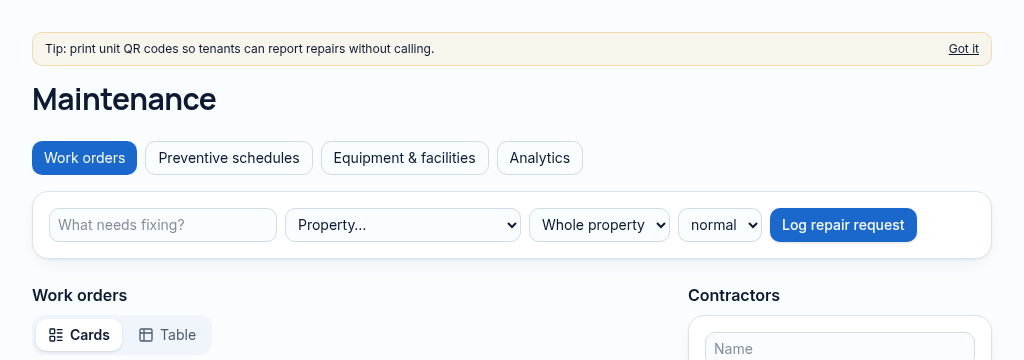
- Step 1
Log the unit, repair description, urgency and evidence. QR reports enter through a controlled public form.
- Step 2
Assign a contractor and follow the work order, equipment and preventive schedule.
- Step 3
Record completion and photos. Repair time uses actual reported-to-completed timestamps, rather than an assumed duration.
Connected, not duplicated
This workspace uses the linked properties, people and records your company can access. Available features depend on your plan, enabled modules and staff permissions. Features needing external services are marked Coming soon below.
The problem
Repairs are reported by phone and forgotten.
Repairs get reported by phone, forgotten, and landlords hear about them last.
With PropertyFlow
- Report, assign and close with photos
- Real repair times per job
- Preventive schedules before things break
Inside Maintenance
Features in this module
- Repair requestsLog repairs with priority, photos and the unit.
- Contractor assignmentAssign a contractor and track their work.
- Repair timesReal time from reported to completed, per job.
- Preventive maintenanceSchedules that create jobs before things break.
- QR repair reportsTenants scan the unit code to report a repair.
- Equipment & warrantiesTrack equipment, service dates and warranties.
Works hand in hand with
See Maintenance with your own records.
Book a walkthrough, or start a 14-day trial and set up your first property today.