Sales & deals
Deal pipeline
Every sale by stage, value and agent.
Ready to use today
How to use deal pipeline
Every sale by stage, value and agent. Use it within Sales alongside the linked property, contact and transaction records, rather than maintaining a separate disconnected list.
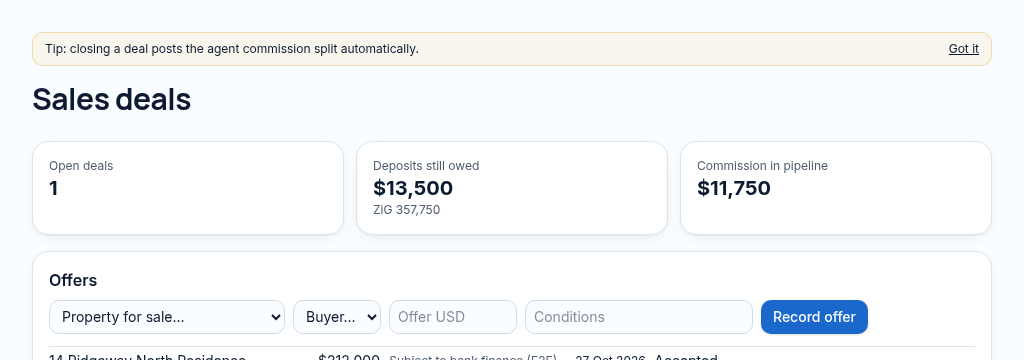
The connected workflow
- 1.Create a sale with the property, client, agent and expected value.
- 2.Record offers and deposits; move the checklist through the agreed sale stages and attach supporting documents.
- 3.Review agent splits before closing. Commission postings and payments follow controlled accounting rules.
Visibility follows your company, branch and section access. Important financial and approval actions remain subject to the app’s controls.
Why it matters
Deals stall because nobody can see which step is waiting, or on whom.
What changes
Every sale on one checklist, with offers, commissions and documents attached.
Found in
More in sales & deals
- Offers & counter-offersRecord offers and compare them side by side.
- Sales checklistsStep-by-step checklist from offer to transfer.
- Guided deal setupA step-by-step screen to set up a sale correctly.
- Agent commission splitsSplit commission between agents and post it to the books.
- Agent commission portalAgents see their own commissions and payments.
- Sales analyticsConversion, time-to-close and value by agent and month.
- Sales goalsTargets for the team and each person, with progress.
- Deal documentsOffer letters and agreements attached to the deal.
- Conveyancer collaborationSoonShare deal progress with outside lawyers.
See PropertyFlow with your own portfolio.
Book a walkthrough, or start a 14-day trial and set up your first property today.