Maintenance & facilities
Inspections with photos
Room-by-room inspections on a phone.
Ready to use today
How to use inspections with photos
Room-by-room inspections on a phone. Use it within Inspections alongside the linked property, contact and transaction records, rather than maintaining a separate disconnected list.
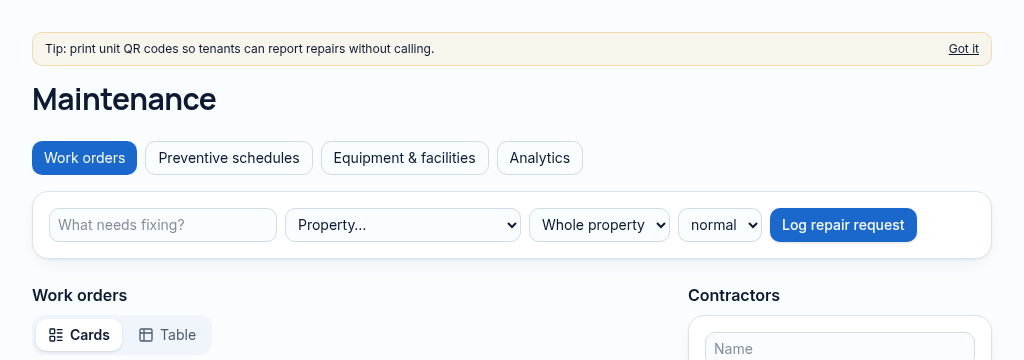
The connected workflow
- 1.Open the inspection workspace while connected and select the property and unit.
- 2.Record inspection findings and photos in the field. Offline items stay queued on the device until connectivity returns.
- 3.Reconnect and check that queued items have synced. Published-site offline support is not enabled inside previews.
Visibility follows your company, branch and section access. Important financial and approval actions remain subject to the app’s controls.
Why it matters
Repairs get reported by phone, forgotten, and landlords hear about them last.
What changes
Report, assign, track and close every repair with photos and real repair times.
Found in
More in maintenance & facilities
- Repair requestsLog repairs with priority, photos and the unit.
- Contractor assignmentAssign a contractor and track their work.
- Repair timesReal time from reported to completed, per job.
- Offline inspectionsInspect with no signal; it sends when you reconnect.
- Preventive maintenanceSchedules that create jobs before things break.
- Equipment & warrantiesTrack equipment, service dates and warranties.
- QR repair reportsTenants scan the unit code to report a repair.
- Facilities registerLifts, pumps, generators and boreholes in one list.
- Contractor portalSoonContractors update jobs from their own login.
See PropertyFlow with your own portfolio.
Book a walkthrough, or start a 14-day trial and set up your first property today.