Maintenance & facilities
Contractor portal
Contractors update jobs from their own login.
Coming soon. This needs an outside provider or is still being built. Ask us and we'll tell you where it stands.
How to use contractor portal
Contractors update jobs from their own login. This capability is planned or depends on an outside service; it is not an enabled integration today.
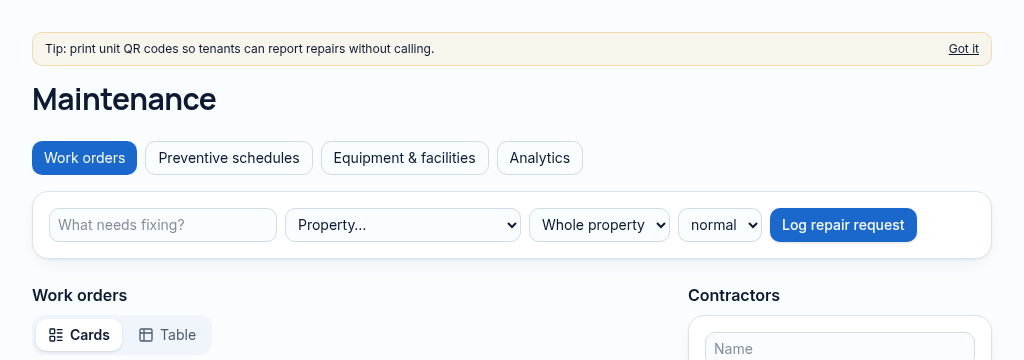
The connected workflow
- 1.Log the unit, repair description, urgency and evidence. QR reports enter through a controlled public form.
- 2.Assign a contractor and follow the work order, equipment and preventive schedule.
- 3.Record completion and photos. Repair time uses actual reported-to-completed timestamps, rather than an assumed duration.
Confirm provider availability, access and fees before relying on this capability.
Why it matters
Repairs get reported by phone, forgotten, and landlords hear about them last.
What changes
Report, assign, track and close every repair with photos and real repair times.
More in maintenance & facilities
- Repair requestsLog repairs with priority, photos and the unit.
- Contractor assignmentAssign a contractor and track their work.
- Repair timesReal time from reported to completed, per job.
- Inspections with photosRoom-by-room inspections on a phone.
- Offline inspectionsInspect with no signal; it sends when you reconnect.
- Preventive maintenanceSchedules that create jobs before things break.
- Equipment & warrantiesTrack equipment, service dates and warranties.
- QR repair reportsTenants scan the unit code to report a repair.
- Facilities registerLifts, pumps, generators and boreholes in one list.
See PropertyFlow with your own portfolio.
Book a walkthrough, or start a 14-day trial and set up your first property today.