Documents & e-signature
Paperwork without the paper.
Documents, e-signatures and private portals for landlords, tenants and investors.
What you get
- Templates that fill themselves
- Sign on any phone
- Files on every record
Inside the app
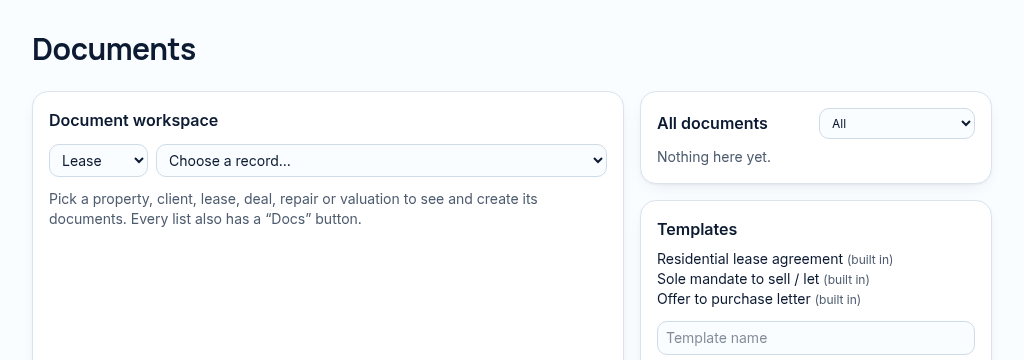
How documents & e-signature works
- Step 1
Choose the related property, contact, lease, deal or repair and attach the document.
- Step 2
Use a template or send the signing link. Signing may also be recorded in person by staff.
- Step 3
Signed records are protected from editing. AI summaries and Q&A depend on available document text; they do not replace legal review.
Connected, not duplicated
This workspace uses the linked properties, people and records your company can access. Available features depend on your plan, enabled modules and staff permissions. Features needing external services are marked Coming soon below.
The problem
Leases need printing, signing and scanning.
Landlords phone for updates, tenants lose their lease, and signatures need a printer.
With PropertyFlow
- Templates that fill themselves
- Sign on any phone
- Files on every record
Inside Documents & e-signature
Features in this module
- Document templatesLease, mandate and offer templates that fill themselves.
- E-signatureSign on a phone by link or in person.
- Documents on every recordAttach files to any property, client, lease or deal.
- AI document summariesA short summary of a template's key terms.
Works hand in hand with
See Documents & e-signature with your own records.
Book a walkthrough, or start a 14-day trial and set up your first property today.