Developments
From land to handover.
Milestones, tenders, off-plan sales and investor returns tracked together.

Inside the app
How developments works
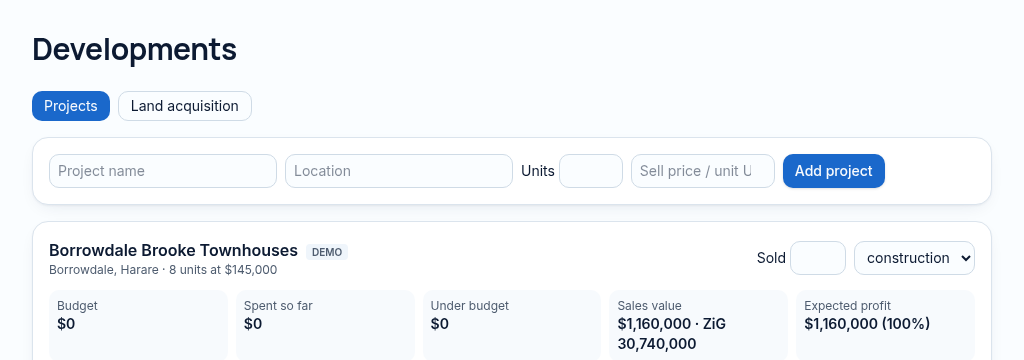
- Step 1
Set up the project, its land or units, budget and target dates.
- Step 2
Track milestones, compare tenders and record off-plan sales and deposits.
- Step 3
Review progress against the budget and connect project cashflows to investment and accounting records.
Connected, not duplicated
This workspace uses the linked properties, people and records your company can access. Available features depend on your plan, enabled modules and staff permissions. Features needing external services are marked Coming soon below.
The problem
Budgets and tenders live in different inboxes.
Development budgets, tenders and investor money are spread across email and spreadsheets.
With PropertyFlow
- Milestones against budget
- Tenders compared side by side
- Off-plan sales and deposits
Inside Developments
Features in this module
- Development projectsProjects with budgets, stages and dates.
- MilestonesTrack progress against each construction milestone.
- TendersCollect and compare contractor tenders.
- Off-plan salesSell units before completion and track deposits.
- Land pipelineLand under consideration, from idea to purchase.
- Feasibility calculatorCheck whether a project's numbers work before you start.
Works hand in hand with
See Developments with your own records.
Book a walkthrough, or start a 14-day trial and set up your first property today.