Command centre & analytics
The whole business on one screen.
A command centre, forecasts and a copilot that drafts, explains and confirms before saving.
What you get
- Trends and alerts every morning
- Forecasts and anomalies
- Goals with real progress
Inside the app
How command centre & analytics works
- Step 1
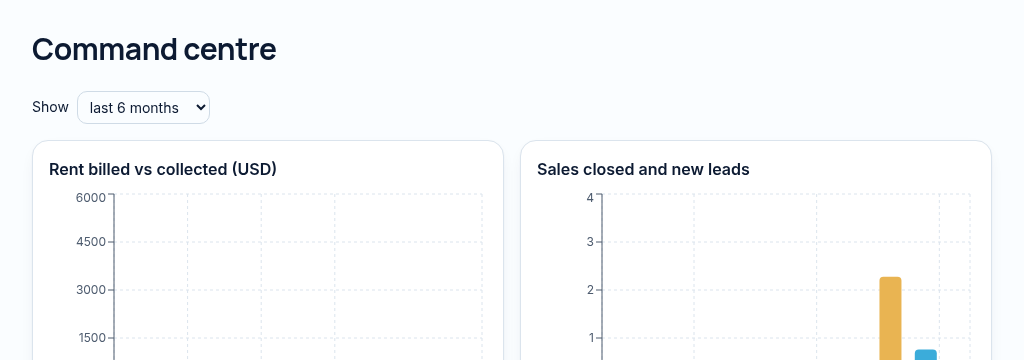
Choose the reporting window and review rent, arrears, vacancy, repairs and deal trends.
- Step 2
Investigate alerts and compare the underlying records before deciding on a follow-up.
- Step 3
Use forecasts and AI explanations as decision support. They describe recorded information, not guaranteed future outcomes.
Connected, not duplicated
This workspace uses the linked properties, people and records your company can access. Available features depend on your plan, enabled modules and staff permissions. Features needing external services are marked Coming soon below.
The problem
Owners wait for five reports from five people.
Owners can't see the whole business without asking five people for five reports.
With PropertyFlow
- Trends and alerts every morning
- Forecasts and anomalies
- Goals with real progress
Inside Command centre & analytics
Features in this module
- Executive command centreTrends, alerts and the day's priorities on one screen.
- Forecasts & anomaliesSpot unusual drops and rises before month end.
- Weekly digestA weekly summary of what changed.
- Goals & targetsCompany and personal targets with real progress.
- Zimbabwe market metricsLocal reporting in USD and ZiG.
Works hand in hand with
See Command centre & analytics with your own records.
Book a walkthrough, or start a 14-day trial and set up your first property today.