Clients & CRM
Notes & @mentions
Leave notes on any record and tag a colleague.
Ready to use today
How to use notes & @mentions
Leave notes on any record and tag a colleague. Use it within Team work & approvals alongside the linked property, contact and transaction records, rather than maintaining a separate disconnected list.
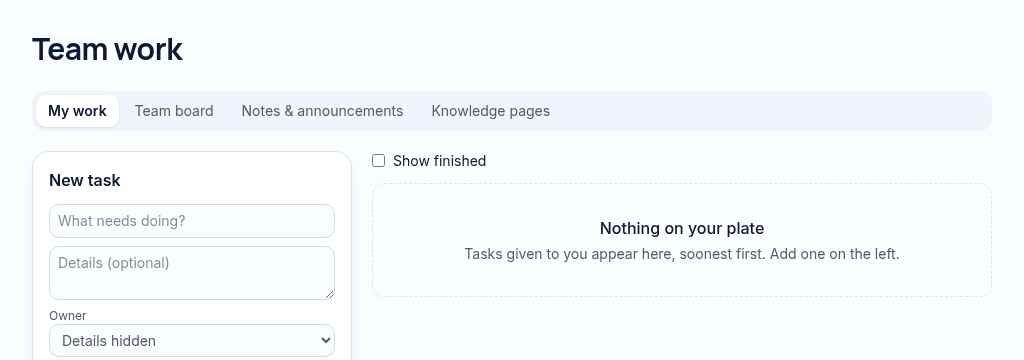
The connected workflow
- 1.Create the task with an owner, priority, due date and optional recurrence.
- 2.Use the team board, notes and knowledge pages to keep handoffs visible. Mentions notify permitted colleagues.
- 3.Review approvals and overdue work. Money approvals remain controlled by the configured approval rules.
Visibility follows your company, branch and section access. Important financial and approval actions remain subject to the app’s controls.
Why it matters
Enquiries get lost in WhatsApp and nobody follows up in time.
What changes
Every contact, enquiry and conversation in one place, with follow-ups that don't slip.
Found in
More in clients & crm
- Contact recordsBuyers, tenants, landlords, investors and suppliers in one book.
- Lead pipelineMove enquiries from new to won on a simple board.
- Website enquiriesMessages from your website arrive straight in the system.
- Duplicate mergeFind and merge duplicate clients without losing history.
- Viewings calendarBook viewings and see the whole team's diary.
- AI follow-up draftsDraft a polite follow-up message for a cold lead.
- Lead matchingMatch buyers and tenants to properties that fit.
- Client timelineEvery lease, deal, payment and note for a client in order.
- Bulk email & WhatsApp campaignsSoonSend a campaign to a filtered list of clients.
See PropertyFlow with your own portfolio.
Book a walkthrough, or start a 14-day trial and set up your first property today.