Properties & portfolio
Property & unit register
Properties with units, sizes, features and status in one list.
Ready to use today
How to use property & unit register
Properties with units, sizes, features and status in one list. Use it within Property management alongside the linked property, contact and transaction records, rather than maintaining a separate disconnected list.
The connected workflow
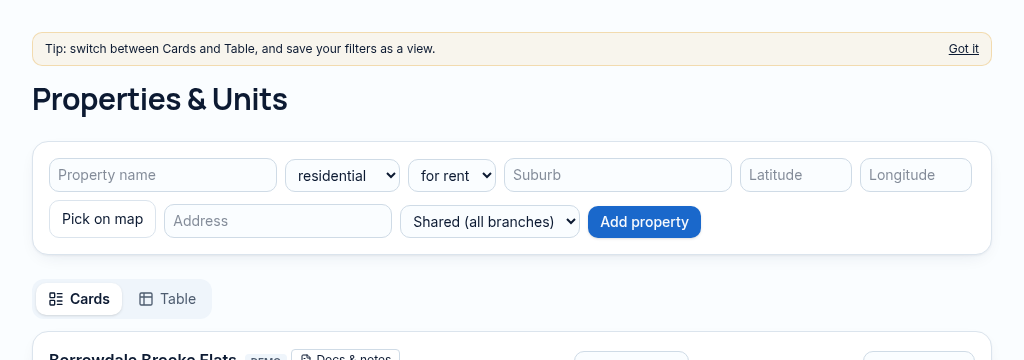
- 1.Add a property, its address, use and branch; choose its location on the map.
- 2.Add the units and their rents, then connect ownership and lease records. Each unit keeps its own occupancy position.
- 3.Review the property health, attachments and QR repair code before publishing chosen listing details.
Visibility follows your company, branch and section access. Important financial and approval actions remain subject to the app’s controls.
Why it matters
Property details live in spreadsheets, phones and old files — nobody knows which version is right.
What changes
One record per property and unit, linked to its owner, lease, repairs and money.
Found in
More in properties & portfolio
- Owner & co-owner recordsWho owns what, with ownership shares for co-owned buildings.
- Property photos & galleryUpload photos once and reuse them on listings and reports.
- Map location pickerDrop a pin on the map to set where a property is.
- BranchesSplit properties by office; staff see only their branch.
- Property health scoreOne score from arrears, repairs, vacancy and lease expiry.
- Custom fieldsAdd your own checked fields to properties and units.
- Unit QR codesPrint a code per unit so tenants can report repairs.
- Bulk import from CSVBring in your existing list, with undo if it goes wrong.
- Portfolio map viewSee every property on one map with its status.
See PropertyFlow with your own portfolio.
Book a walkthrough, or start a 14-day trial and set up your first property today.