Valuations & auctions
Valuation documents
Attach title deeds and photos to the valuation.
Ready to use today
How to use valuation documents
Attach title deeds and photos to the valuation. Use it within Valuations alongside the linked property, contact and transaction records, rather than maintaining a separate disconnected list.
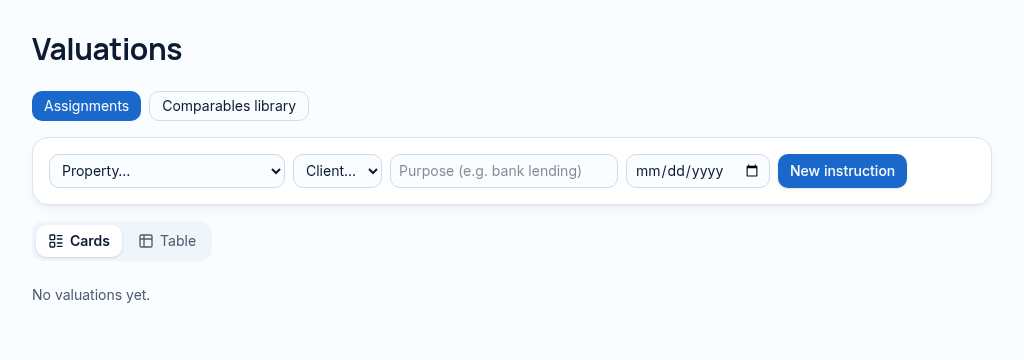
The connected workflow
- 1.Create a valuation assignment for the property and record its purpose and date.
- 2.Enter comparable evidence and comparison, income or cost inputs; preserve method notes and supporting files.
- 3.Review the result alongside historical values. Professional judgement and local valuation requirements still apply.
Visibility follows your company, branch and section access. Important financial and approval actions remain subject to the app’s controls.
Why it matters
Valuations live in Word files and comparables are hard to find again.
What changes
Valuation methods, comparables, history and auctions in one place.
More in valuations & auctions
- Valuation reportsCreate valuations with method, notes and result.
- Comparable salesSave comparables and reuse them across valuations.
- Multiple valuation methodsComparison, income and cost methods side by side.
- Valuation historyEvery past value for a property, with dates.
- Online valuation requestsOwners request a valuation from your website.
- Auction catalogueLots, reserves and auction dates.
- Bid recordingRecord bids and the winning bidder.
- Auction settlementTurn the winning bid into a deal.
- Live online biddingSoonBidders bid live from their phones.
See PropertyFlow with your own portfolio.
Book a walkthrough, or start a 14-day trial and set up your first property today.